 Moth

Anthropic does not accept USDT or any other cryptocurrency for Claude. Claude's Paid plan billing FAQs (updated November 2026) says subscriptions bought on the web, which covers Pro, Max and Ultra, accept only credit or debit cards. Subscriptions bought in the Claude iOS or Android app are billed through the Apple App Store or Google Play. If you hold only USDT, you top up a card product with USDT, move enough balance onto the card, and enter that card on claude.ai under Settings > Billing.
Two conditions decide whether that card can work. Paid plans are only available to users physically located in a supported location (How do I sign up for the Pro plan?, 6 August 2026). The card's billing address and origin country must also be on Anthropic's supported list (Why was my card declined?, 10 July 2026). Check Anthropic's Supported Regions Policy (version effective 12 November 2026) before you pay. Funding a card with USDT changes neither condition, and no card is guaranteed to be accepted.
Which MothCard cards can pay for Claude?
MothCard is a global card issuing platform: top up with USDT and pay with virtual and physical Visa and Mastercard cards, for individuals and businesses, including AI subscriptions such as ChatGPT and Claude. As of 4 November 2026, six MothCard cards can pay for AI subscriptions such as Claude. Glow, Pulsar-2 and Pulsar-1 take the card number directly at checkout. Sapphire, Beam and Lumen pay through Google Pay: add the card to Google Pay first, then choose Google Pay at checkout.
AI subscriptions
Cards that pay for ChatGPT and Claude
These six cards pay for ChatGPT and Claude subscriptions. Fund them from your USDT wallet, with no currency exchange or bank wire.
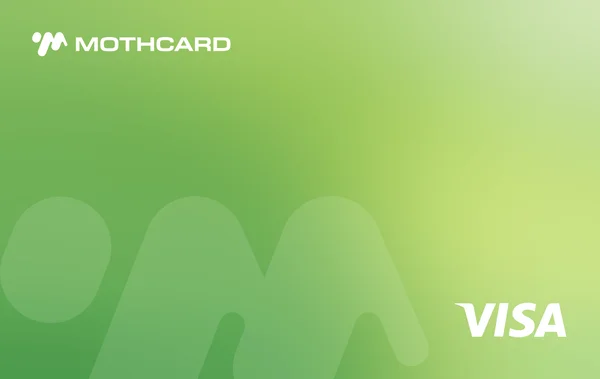 Glow✓ ChatGPT · ClaudeCard number at checkout
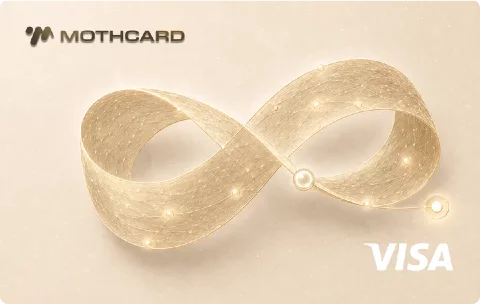 Pulsar-2✓ ChatGPT · ClaudeCard number at checkout
 Pulsar-1✓ ChatGPT · ClaudeCard number at checkout
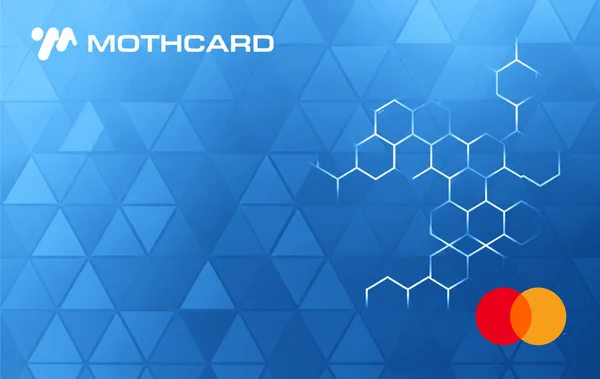 Sapphire✓ ChatGPT · ClaudePay with Google Pay
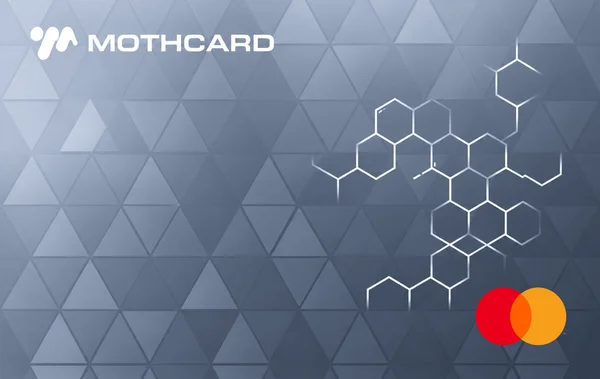 Beam✓ ChatGPT · ClaudePay with Google Pay
 Lumen✓ ChatGPT · ClaudePay with Google Pay
Acceptance can change with the merchant, the card network and risk rules, so no payment is guaranteed. Fees and limits are shown in the app.
See all cards →Identity verification is required for every user, and fees and limits are shown in the app. Acceptance can change with Claude's checkout, the card network and risk rules, so MothCard does not guarantee any payment. Treat a payment as complete only once Settings > Billing shows the plan as paid.
What do I need before paying for Claude with USDT?
- Claude available where you are. Anthropic's Supported Regions Policy lists where Claude.ai, Claude Code and the API are offered. Use while physically located in an unlisted place is not supported. Claude also requires a phone number from a supported location to create an account.
- A card Claude can charge. Claude's web checkout takes credit and debit cards. Claude's card-decline article says third-party processors such as PayPal or Venmo are not accepted and the transaction "will likely be declined".
- A card issued and billed in an eligible place. The card's billing address and its origin country must be on Anthropic's supported list, and the billing address must match the origin country.
- USDT on the right network. Send only the asset and network your card app shows. Funds sent in another currency or on another network cannot be recovered.
- Enough card balance. Wallet balance is not spendable until you move it to the card. Pro costs $20 per month in the US, with local-currency pricing where supported. Some regions include tax in the displayed price and others add it at checkout (What is the Pro plan?, November 2026). Use the price shown at checkout.
- Identity verification done. Complete the identity verification (KYC, "know your customer") your card app asks for before you top up.
How do I pay for Claude when I only have USDT?
- Check Anthropic's Supported Regions Policy and confirm that Claude is offered where you live and use it.
- Complete identity verification in your card app if it is not finished yet.
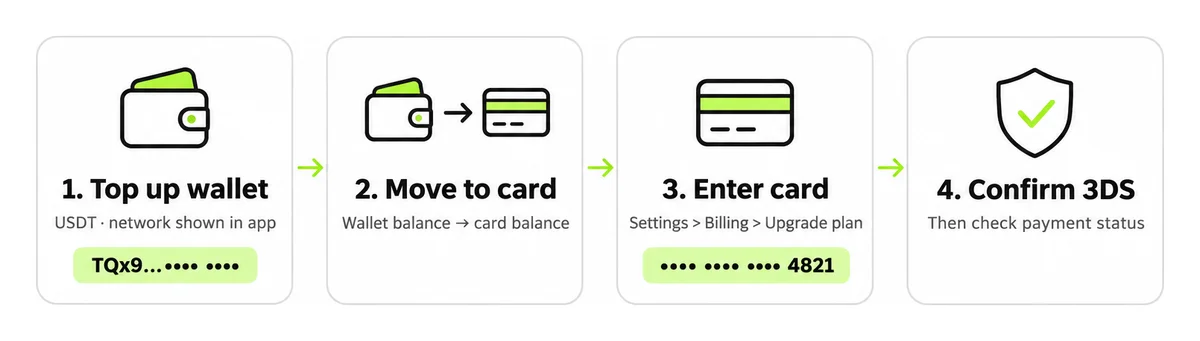
- Top up the card app's wallet with USDT, using exactly the asset and network the app shows.
- Move funds from the wallet to the card so the card balance covers the plan price plus any fees shown in the app.
- On claude.ai in a web browser, open Settings > Billing, click "Upgrade plan", then choose the plan and the monthly or annual period.
- Enter the card number, expiry date, CVC and billing address exactly as the card issuer holds them, including accents and spelling, then click "Subscribe".
- Complete any 3D Secure (3DS) prompt. 3DS is the issuer's extra check, usually a one-time password or an approval in your card app.
- Back in Settings > Billing, confirm the plan and the payment status. If the payment failed, stop after one or two attempts, read the error table below, and ask the card issuer for the decline reason before you try again.
Which error messages mean what when paying Claude?
Claude's card-decline article says Anthropic does not receive detailed decline reasons from issuing banks, so the card issuer is often the only party that can tell you the exact cause.
| Error message | What it means | Check first |
|---|---|---|
| Your card was declined | Claude lists common causes: an unsupported billing location, a billing address that does not match the issuer's record, incomplete 3DS, or insufficient funds. | Billing address against the issuer's record; card balance, frozen status and limits; then ask the issuer. |
card_not_supported (Stripe decline code) |
Stripe's decline-code reference says "The card doesn't support this type of purchase" and that the customer needs to contact the issuer. The wording on Claude's checkout may differ. | Ask the issuer whether the card allows online, recurring or cross-border purchases. |
| 3D Secure not completed | The one-time password or bank-app approval was not finished, which Claude lists among common decline factors. | Allow pop-ups, finish the approval without closing the page, then retry once. |
| Payment declined with PayPal or Venmo | Claude does not accept third-party payment processors. | Use a credit or debit card on the web, or subscribe through the app store instead. |
| "Verify now" pop-up after login | Claude is asking you to verify your payment method. "Remind me later" hides the prompt for 24 hours (Claude Help Center, March 2026). | Click "Verify now" and complete the steps with the same card. |
| Paid plan, but the account shows Free | Claude names two causes: you signed in with a different email, or the payment method failed and the account was downgraded. | Settings > Billing: recent payment status; update the card or billing details. |
How is the first Claude payment different from a renewal?
A successful first charge does not guarantee the next one. Claude's sign-up article says plans renew automatically by default at the end of each monthly or annual billing period. Each renewal is a new authorization, so the card has to pass the same issuer checks again.
A failed renewal can go unnoticed. Claude's billing FAQ lists a failed payment method, followed by a downgrade, as one reason a paid account shows as Free. If you update the card on an existing subscription, Claude says the new card "will be charged the next time your subscription renews", so check Settings > Billing after the change. Claude also says a saved card that is not your default may be charged if the default card is declined, so remove any card you do not want used.
Before each renewal:
- Make sure the card is not frozen and the card balance, not only the wallet, covers the plan price plus the fees shown in the app.
- Keep the billing address and your actual location consistent with what Anthropic and the issuer expect.
- If a renewal fails, find the reason once. Do not retry in a loop, which issuers can flag as unusual activity.
- If you subscribed in the Claude iOS or Android app, the App Store or Google Play handles the payment, and you change the card in that store account, not on claude.ai.
Related guides: why virtual cards get declined on AI subscriptions, how MothCard works, and what you trade away when someone else pays for your subscription.
FAQ
Can I pay for Claude directly with USDT or another cryptocurrency?
No. Claude's billing FAQ (November 2026) says web subscriptions accept only credit or debit cards, and app subscriptions use the payment options of the Apple App Store or Google Play. To spend USDT on Claude, you first move it into a card product that pays on Visa or Mastercard, then pay with that card on claude.ai.
Can I pay for Claude with PayPal?
No. Claude's article "Why was my card declined?" says Anthropic does not accept third-party payment processors such as PayPal or Venmo, and that such a transaction will likely be declined. On the web, use a credit or debit card whose billing address and origin country are both on Anthropic's supported list.
Does paying with a USDT-funded card hide my location from Anthropic?
No. Anthropic applies its location rules to where you are physically located and to the card's billing address and origin country. How you funded the card does not change either check. Do not use a VPN, a false address or someone else's card; use your real location and billing details that match the issuer's records.
Does a Claude Pro plan include API usage?
No. Claude's "What is the Pro plan?" says Pro does not include API usage through the Claude Console, so the API is paid separately. Claude's Help Center adds that Max, Ultra and Team plans include monthly API credits once you link a Claude Console organization. Troubleshoot subscription billing and API billing separately.
Are fees lower when I pay Claude with USDT?
This site makes no claims about fee levels or rewards. Any top-up, currency conversion or transaction fees are shown in your card app before you confirm, and Claude's own price and any tax are shown at checkout. Compare the total in both places before you subscribe.